How to Generate a Video Link for Free
A practical guide to shareable watch links, cloud file links, and review-ready URLs—so you can pick the right option for social, delivery, or client approval.

How to generate a video link for free usually means: upload (or select) a video somewhere, then copy a URL you can paste into chat, email, or a CMS. The free part is often the account tier on the host or transfer tool; the tradeoff is usually storage limits, ads, watermarks, or weaker privacy controls. This guide separates watch links, file links, and review-ready links so you pick the right format for your workflow.
What counts as a video link?
People use “video link” to mean a few different things:
Watch URL: Opens a streaming player on a host (for example a share link after upload).
File link: Points to a video file in cloud storage or a transfer service—recipients may stream or download depending on the product.
Review link: Opens a page built for feedback—comments tied to timecode, markup, and often approvals or versions.
Free ways to get a shareable video link
Common free or freemium paths include:
Video hosts: Upload, set visibility (public, unlisted, or private), then copy the share link. Good when you want a simple player and acceptable terms for your content.
Cloud drive links: Upload the file, create a shareable link, and send it. Good for rough cuts or when the recipient needs the file—but check download bandwidth and caps.
Review platforms: Upload to a tool aimed at creative review; share one URL for stakeholders. Often the best fit when comments and sign-off need to stay organized.
How to create or copy a link (typical flow)
Products label buttons differently, but the flow repeats everywhere:
Upload or select the asset in your host, drive, or review workspace.
Choose visibility (public, unlisted, link-only, or restricted to named people).
Open Share / Copy link and paste it where your audience expects it—email, Slack, or a project brief.
Open the link in an incognito window to confirm what a first-time viewer sees, including login walls or quality limits.
Privacy, expiry, and who can open the link
Who can open it: “Anyone with the link” is convenient but easy to forward; restricted lists reduce leakage for sensitive work.
Expiry: Transfer links may auto-expire; host URLs may persist until you delete the asset—verify before you commit to a delivery date.
Downloads vs streaming: Some clients need a file; others only need to watch once. Match the link type to what you are approving.
When a review-ready link fits better than a watch URL
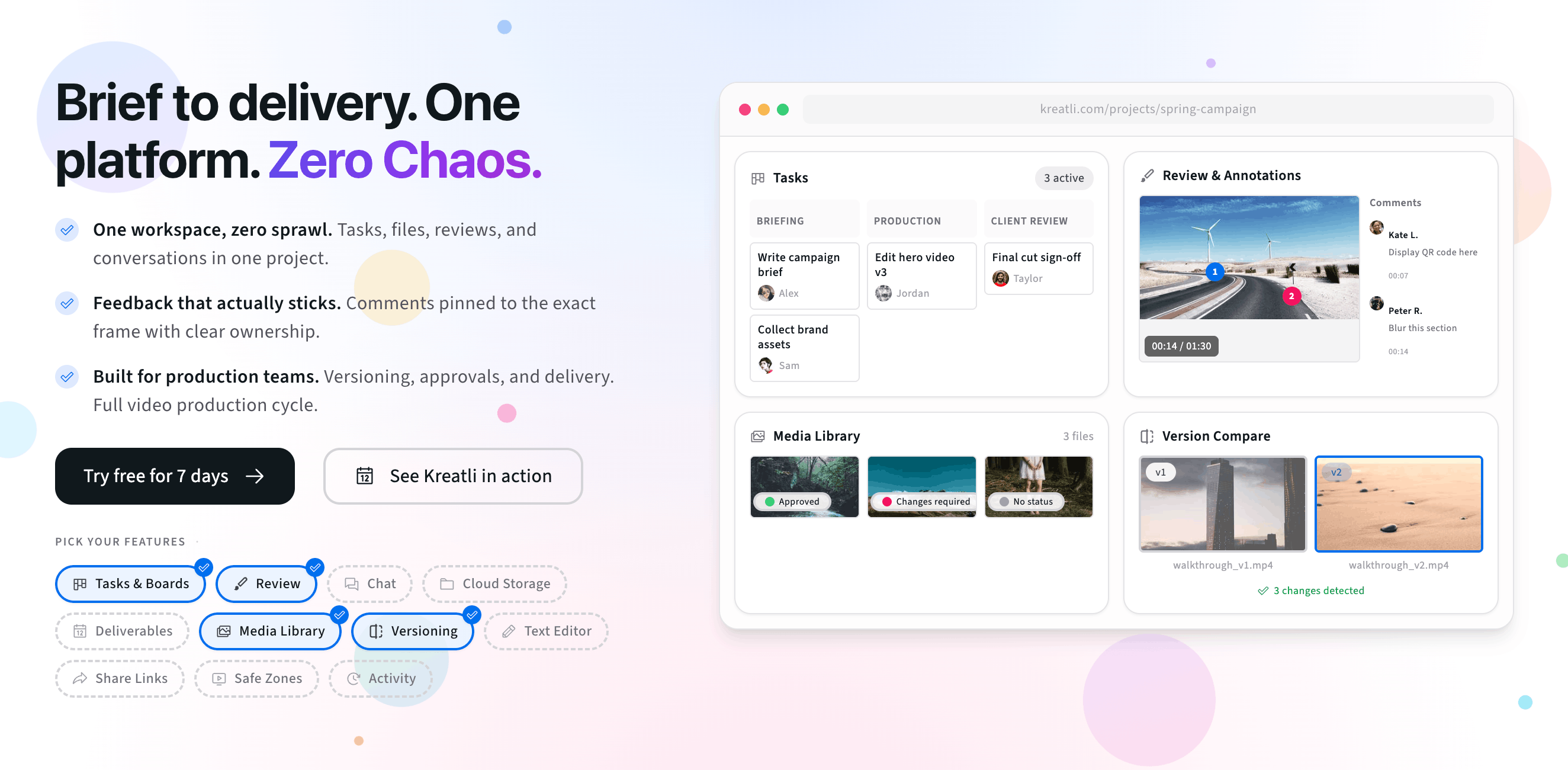
If you only need views, a watch or file link is enough. When you need structured feedback, version clarity, and approvals, a review-focused workflow keeps comments on the right cut. Kreatli’s approach is outlined on our free video link generator page: share a link, collect frame-accurate notes, and keep approval history with the file.
Try generating a shareable video link
The preview below mirrors a simple “generate and share a link” flow: add recipients, copy a share URL, and think through who should have access. To go further, start a 7-day trial or book a demo.
Free tools, guides, and platform features
Free tools that pair with sharing and review, related guides, and platform areas to explore next.
Free tools for sharing and review
Try calculators and lightweight reviewers that complement link-based video workflows.
Video Feedback Tool — Give frame-accurate feedback on videos with comments, annotations, and markup. Share review links with clients; recipients do not need a Kreatli account.
Video Reviewer — Review videos online with frame-accurate comments, visual annotations, and approval workflows. Share with clients; recipients do not need a Kreatli account.
Video Manager — Organize, store, and track video assets with version control and client share links. Manage feedback and approvals in one workspace.
Data Transfer Calculator — Calculate how long it takes to upload or download large files. Perfect for video editors and post-production teams.
More guides on sharing and delivery
Deeper reads on email limits, large files, and client-friendly delivery.
7 Ways to Share Large Video Files with Clients for Review and Approval
Send Large Files to Clients: 7 Tools That Let You Send 20GB+ Free
More resources
Capabilities that support secure storage, annotation, and structured approvals.
Review & Approval — Frame-accurate revisions and approvals for video content. Streamline your feedback workflow.
Video Annotation — Add frame-accurate annotations, drawings, and markup directly to video frames. Pin comments to exact timestamps and collaborate with precise visual feedback.
Secure Asset Storage — Enterprise-grade storage for creative assets. Organize files, track versions, and protect your media with reliable infrastructure.
FAQ: How to generate a video link for free
Is generating a video link the same as uploading to YouTube?
Not always. A “video link” is usually just a URL that opens playback somewhere—often after you upload to a host like YouTube or Vimeo and copy the share link. You can also get links from cloud file services that point to an MP4 or project file. The right choice depends on whether you need public discovery, private delivery, or structured review and approvals.
Can I get a video link for free without making viewers sign up?
Often yes. Many hosts and file-sharing tools let you create a link for free; viewers may only need a browser. Some products still ask recipients to create an account before playback or download. If friction matters—especially for busy clients—look for share modes labeled unlisted, link-only, or “anyone with the link,” and test the recipient experience once before you send it widely.
How is a review link different from a regular watch link?
A typical watch link opens a player so people can view the video. A review link (or review page) is built for feedback: time-coded comments, drawings on frame, approvals, and version context. If your goal is “please watch this,” a watch link is enough. If your goal is “please tell me exactly what to change and sign off on v3,” a review-ready link saves email chains and vague notes.
Are free video links private?
Only if you configure them that way. Public links can be indexed or reshared. Unlisted or “anyone with the link” modes reduce casual discovery but are not the same as encryption or enterprise access control. For confidential cuts, prefer providers that support expiring links, passwords, or workspace permissions, and avoid posting client work in public channels.
Do video share links expire?
Sometimes. File-transfer services and some cloud links include expiration dates or download limits by design. Hosts like YouTube generally keep a stable URL unless you delete the video or change visibility. Before you promise a client a permanent URL, check the product’s policy and whether the link ties to a personal account that could lose access later.
Still have questions?
Email support@kreatli.com and we will help you choose a sharing setup that fits your team.
Ready to share video the easier way?